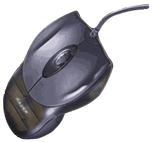
Hands down, this mouse is one of the smoothest gliding mice I have ever laid my hands on. From general Windows use to extreme gaming,
this mouse provided me precision like no other mouse before it. This mouse is not without its drawbacks though. The design takes a while
to get used to, the thumb buttons are awkward, and the wheel is a little on the stiff side. For the hardcore gamer, the drawbacks are
nothing compared to improved response time that this mouse will provide. The Razer 2000 is a little on the pricey side also and will
face close competition with the cheaper and more comfortable Microsoft Intellimouse Explorer.
Specifications
Faster than the competition: Available in a 1000 and 2000 dpi model, the Razer Boomslang is much faster than the majority of mice available.
Currently, the PC mouse resolution is around 400 dpi with the Microsoft Intelliwheel explorer being the exception at 1500 dpi. Faster dots per
inch translate into a smoother and faster mouse. This is described by how many discrete signals are sent to the controller chip when the mouse
moves one inch.
Design/Quality
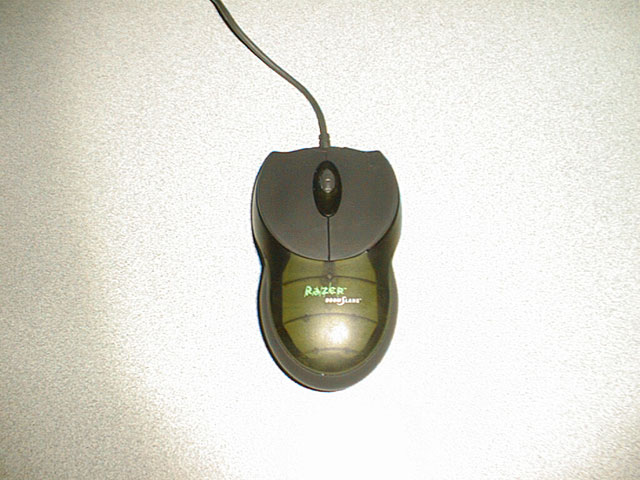
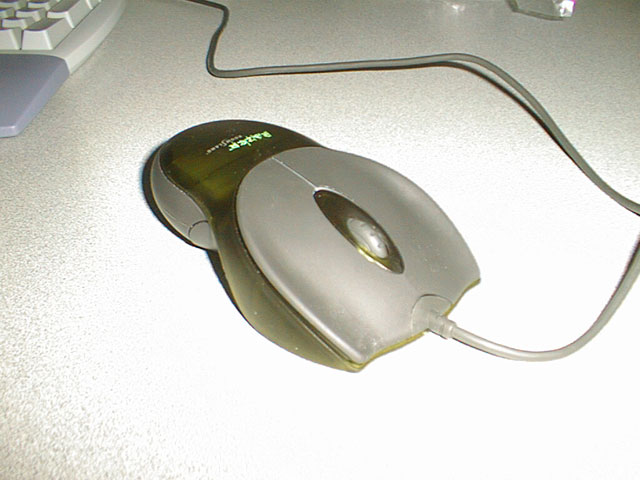
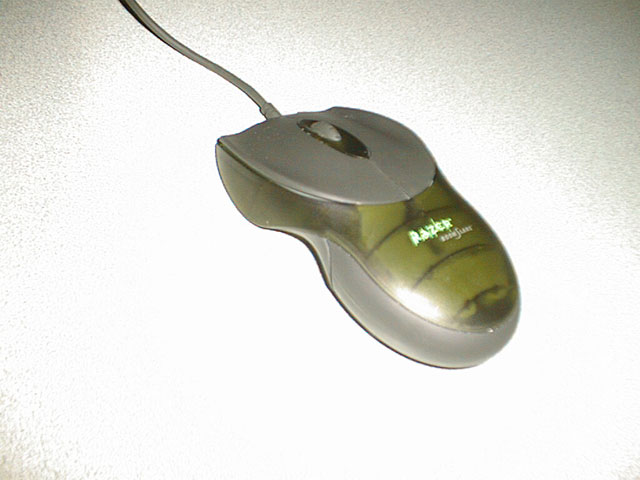
The design of this mouse is definitely something unique. The mouse features 5 buttons that include a scrolling wheel and two thumb buttons. The
mouse is designed so that a left handed or right handed player can use it exactly the same. The buttons are rubberized and do a really good job of
preventing slippage during high-intensity games. I can attest to this being a problem on other mice personally. The Microsoft line of mouse are all
made of plastic which results in major "button slippage". The Razer also features a patented dust barrier which does a good job of keeping the area
inside where the mouse ball is held very clean. Even though this mouse features a rolling ball and doesn't take advantage of the latest "intellieye"
technology which features no moving parts, the ball moves extremely smooth.
Speed/Performance
The next key element in providing the overall fastest performing mouse is the connection between the mouse and the computer. Until recently, PS/2
has been the standard adapter type for a mouse. Most PS/2 devices operate at 30-40 polls/sec in Windows 9x and 60 polls/sec in Windows NT. The
faster the sampling rate of your mouse, the fewer signals that will be lost and the more precise the mouse will feel. Universal serial bus ports
have become the new standard for the mouse and a majority of other computer peripherals. USB features a polling rate fixed at 125 poll/sec. The
Razer Boomslang features support for both PS/2 ports and USB ports by the use of an adapter to convert the USB connector to a PS/2 version. PS/2
users will be able to benefit by increasing their polling rate to a max of 200 polls/sec which is the max allowed in PS/2. The side effect of
increasing the polling rate in PS/2 mode is that it taxes your cpu significantly so most gamers will want to stick to USB's 125 polls/sec.
The next test, Quake 3! If there is a test of quickness and fast reflexes, that would be Quake 3 :-) Without a doubt, the Razer Boomslang turned
me into an elite railgun sniper with extreme ease. The mouse responds to quick movements very well and is extremely precise in tracking across the
screen. It did take a little while to get used to the feel of this mouse though. The shape and contour are pretty "unique". After whooping up on
the bots in Q3:Arena for a while, I had gotten very used to the mouse and was enjoying the precision at which I was able to gib the enemy. I did
experience several awkward things about this mouse despite the strong points I liked. For one, the wheel is a little on the stiff side and requires
a lot more pressure than typical mouse wheels to roll up and down. Being a big fan of a mouse wheel and using it extensively in my gameplay, I found
this very frustrating. Also, the thumb buttons were in an odd place and weren't convenient for me to quickly access. Everywhere that it felt natural
to grip the mouse, there was a button which would end up being pushed. The buttons where very sensitive at first but this ended up being turned into
an advantage once I got used to their sensitivity. Once my gaming was done, my hand felt a little fatigued from the awkward shape of the mouse and
I was yearning for my arched Intelliwheel Explorer. I am just not sure if this mouse is going to make it mainstream. It definitely is going to appeal
to the hardcore gamer with speed and precision as his focus but I personally am leaning towards the MS Explorer with it's optical eye and no moving
parts.
Software/Drivers
Setting up the mouse is a snap. Install the software, reboot your pc, and then plug the mouse in....worked like a charm. The performance of this mouse
is immediately noticeable in Windows itself. Moving across the screen is extremely fast and very smooth. I can see this mouse being used by non-gamers
for use in Photoshop or other mouse intensive applications.
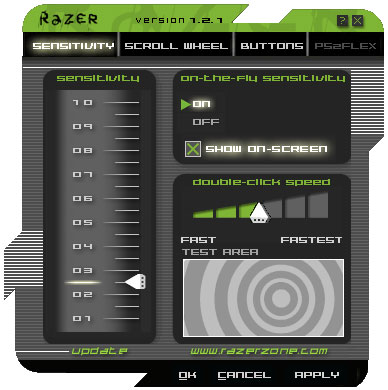
The software that drives the Boomslang is not your traditional mouse configuration software. Gone is the typical Windows GUI with common dialogue
boxes. The software features a stylish GUI (which you can see in our screenshots) which allows you to set your sensitivity, double-click speed,
scroll wheel settings, and button assignments. Included in the software is Razer's own version of the popular PS2Rate program which is a popular
program that allows you to adjust the polling rate on PS/2 mice. Razer has a feature called PS2FLex which allows you to perform the same
functionality as PS2RATE all in your mouse configuration GUI.
Bundle/Packaging
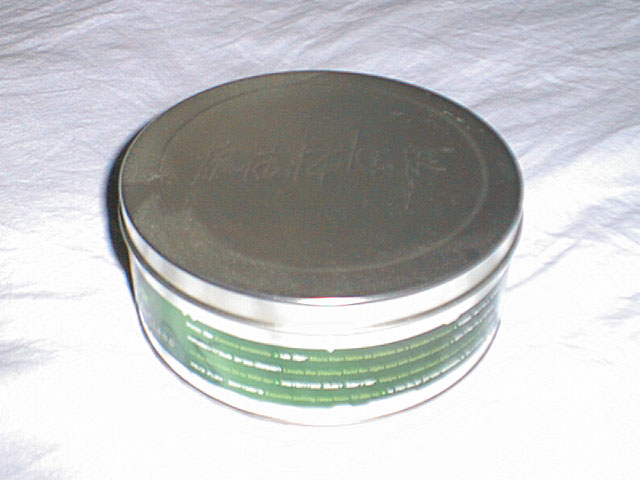
The Razer comes in a tin package very similiar to a cookie box. The marketing people get two thumbs up for the Boomslang packaging! Everything is
very trendy and quite fun. Inside the tin is a large piece of foam which holds the mouse, it's 7ft long cord, and the USB to PS/2 adapter. Underneath
the foam is all the paperwork containing a circular manual with software cd.
Additional Views
While I have shared my personal experiences and opinions, Justin "ShroomyDoG" Werner had a little more positive results. In an attempt to bring a
more well rounded review, here are his comments: After getting my mouse installed and setup in no time at all I immediately noticed that SMOOTHNESS
of the mouse. I was shocked at the smoothness. I cranked up the sensitivity and was again amazed at the smoothness. And this thing is sensitive. I
fired up Q3A Test Demo 1.08 just to get a feel of things. WOW! I like it! Smooth and quick. Took me a little time to get the "fingertips only" technique
that David parker from Karna told me about. I next move to UTDemo and pop in a few bots on the DM levels. I am not a big UT Deathmatch fan, but I gotta
say, this mouse IMPROVED my accuracy with the weapons. Instagib was NEVER so much fun. Conclusion: Buy it. I love mine and use it for all my gaming. I
noticed a BIG difference between my Intellimouse and BoomSlang while playing Q3ADemo Test and UT and HL:OpFor. I tested the two in all the games. The
BoomSlang is much more accurate and smooth.



 (4 out of 5)